

AI Chat vs Cowork vs Code — what's the difference, and which to use
“Using AI” now spans a lot — from just asking questions to having it actually work on your files and systems. This splits it into three modes — Chat, Cowork, Code — and when to use each.
Three modes at a glance
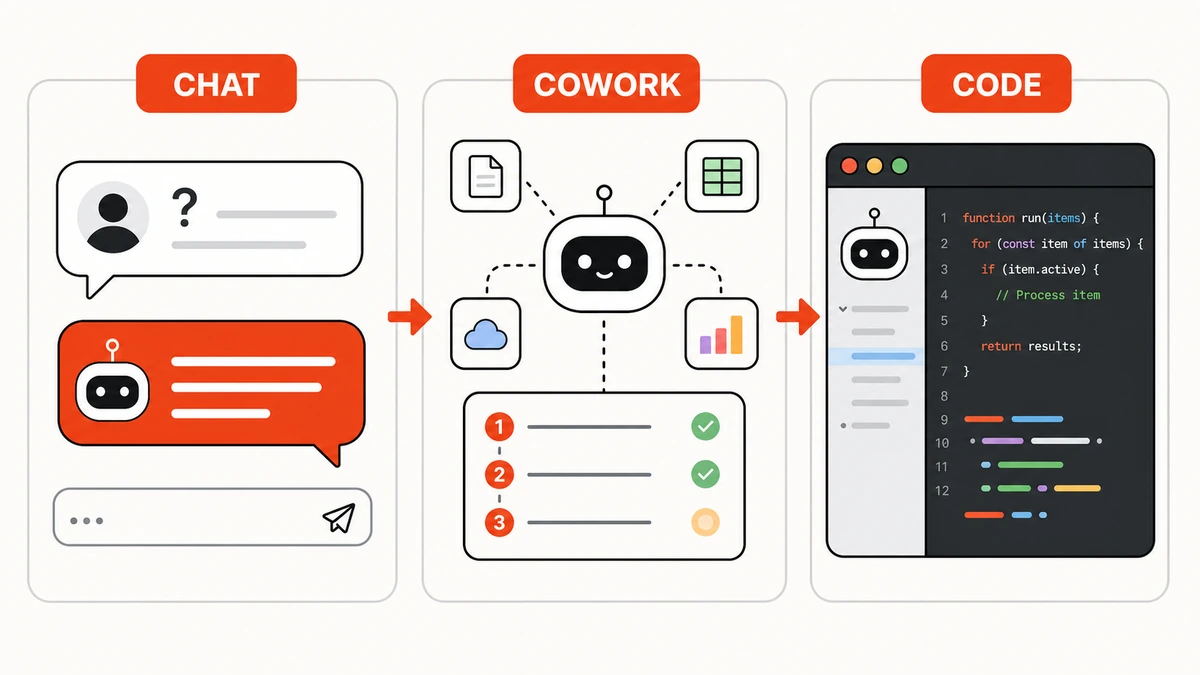
Picture the AI as an assistant working at three levels:
- Chat = an advisor — answers anything, but doesn't do it for you
- Cowork = a hands-on teammate — connects to real files/web/systems and does multi-step work
- Code = a pair programmer — lives in your editor, writes/edits code across the project
Not competitors — pick by the job.
1. Chat — Q&A
Chat is the mode everyone knows — type in a box, it replies. Great for quick questions, short writing, summarising, translating, ideas.
Examples: ChatGPT, Claude, Gemini (normal chat) · easy to start, no setup · but it doesn't touch your real files or systems.
New to it? Read How to use AI the first time.
2. Cowork — working together (hands-on)
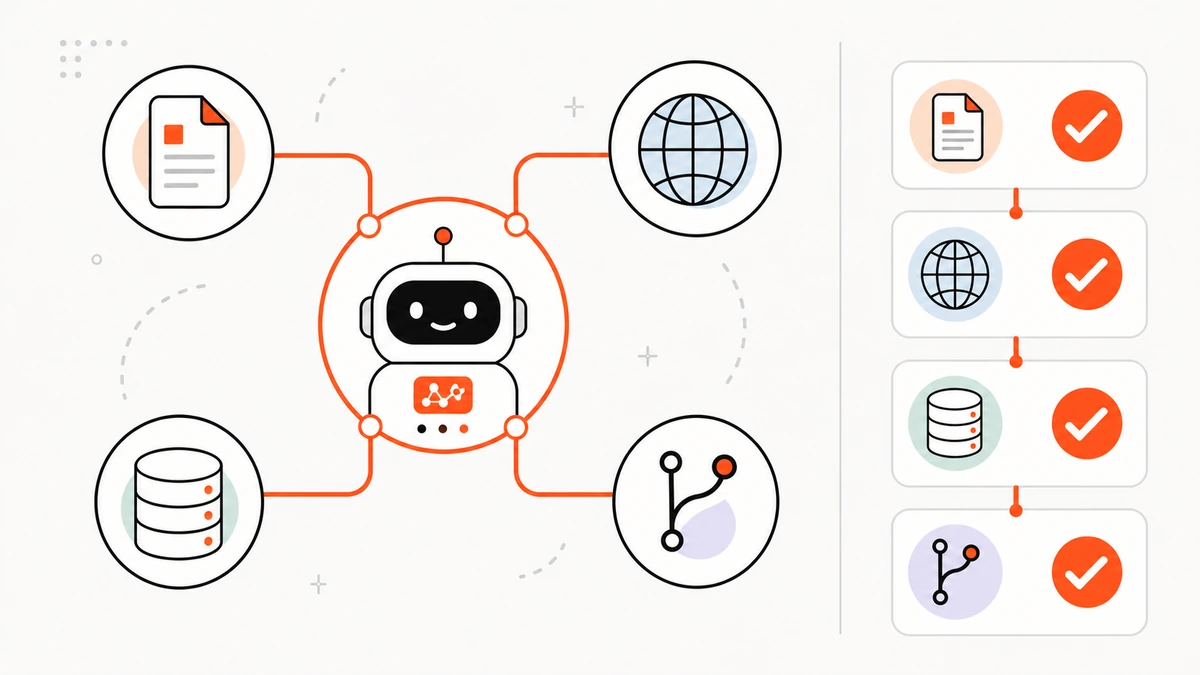
Cowork is where the AI stops just advising and acts — connecting to real tools via MCP (files, web, GitHub, databases) and running multiple steps itself, agent-style, to finish the job.
Great for real, multi-step tasks like “read this file, summarise it, draft a reply email.” Examples: Claude/ChatGPT wired to MCP, or agent mode.
Want a ready-made Cowork set (MCP + prompts + how-to)? → Loadouts · learn about AI Agents.
3. Code — writing code
Code is AI inside an editor/IDE, focused on programming — reading the whole project, editing many files, running tests, opening PRs.
Examples: Cursor, Claude Code, GitHub Copilot, Windsurf · it's really a code-specialised Cowork (it can use MCP too).
Side-by-side
| Chat | Cowork | Code | |
|---|---|---|---|
| What it is | Q&A | hands-on assistant | coding assistant |
| Where it works | chat box | chat + real tools | editor/IDE |
| Reaches real tools? | no | yes (MCP) | yes (project files + MCP) |
| Best for | quick asks, short writing | multi-step work with files/web/DB | programming |
| Examples | ChatGPT, Claude | Claude+MCP, agent | Cursor, Claude Code |
Which do you use?
- Quick asks / writing / summarising / translating → Chat
- Needs to touch real files, the web, or systems, multi-step → Cowork (add MCP or use a Loadout)
- Programming → Code
Most people start with Chat, then move to Cowork when they want the AI to actually do the work · read Start using AI for real work in your first hour.